A Photoshop Channels Course That Gives You Real Control.
NO MORE MESSY HARSH-EDGEd, OR “CUT-OUT” LOOKING MASKS
Watch the video below to learn more!
⇩⇩⇩
CHANNEL MASKING in PHOTOSHOP has NEVER BEEN EASIER
Channels in Photoshop are one of the most overlooked yet essential skills for any photographer who wants real control over their edits. Most people never move past basic luminosity masks or one-click selection tools, so when an image needs precision, everything starts to fall apart.
I believe channels are the cleanest path to natural-looking masks because they’re built from the image data itself. But channels come with their own challenges:
• It’s easy to make a mask, but hard to make one that naturally blends with your image features and subjects.
• Select Color Range is fast, but often produces harsh edges and messy transitions.
• Luminosity masks help, but they don’t solve every problem, especially when color separation matters.
• Calculations & Apply Image feel “too advanced,” so most people avoid them completely.
• Without a repeatable way to read subject separation, editing turns into guesswork and frustration.
While these problems are common, I solved them in this course. I break channels down step by step and show you how to think of them as mask maps so you can find separation quickly, build cleaner selections, and refine masks without the “cardboard cut-out” look.
Until now, I’ve shared bits and pieces of my Channels workflow across different tutorials, but photographers have been asking for a complete, all-in-one channels course for years. So I built it to be hands-on and practical. It comes complete with follow-along images, a full notes guide, and my own Photoshop actions to speed up the repetitive parts so you can focus on learning the methods and practical application.
This course is finally ready, and it’s the most complete training I’ve ever made on using channels beyond luminosity masking. If you’ve ever said, “I know what I want to change, but I can’t isolate it well and have no idea where to begin masking it,” this is the course that will change the way you mask and edit from here on out. Enjoy.
The Course in a Nutshell
Unique Videos
Minutes of Education
Photoshop Actions
Lesson PDF Pages
In This Course, You Will Learn:
► Read channels as mask maps (not literal RGB).
► Pull clean selections straight from channels.
► Refine masks for smooth, natural transitions.
► Go beyond luminosity masks for skies, foliage, highlights, and atmosphere.
► Build advanced masks with Calculations with ease.
► Use Apply Image to isolate color data on intentionally.
► Follow a repeatable workflow so you’re not guessing.
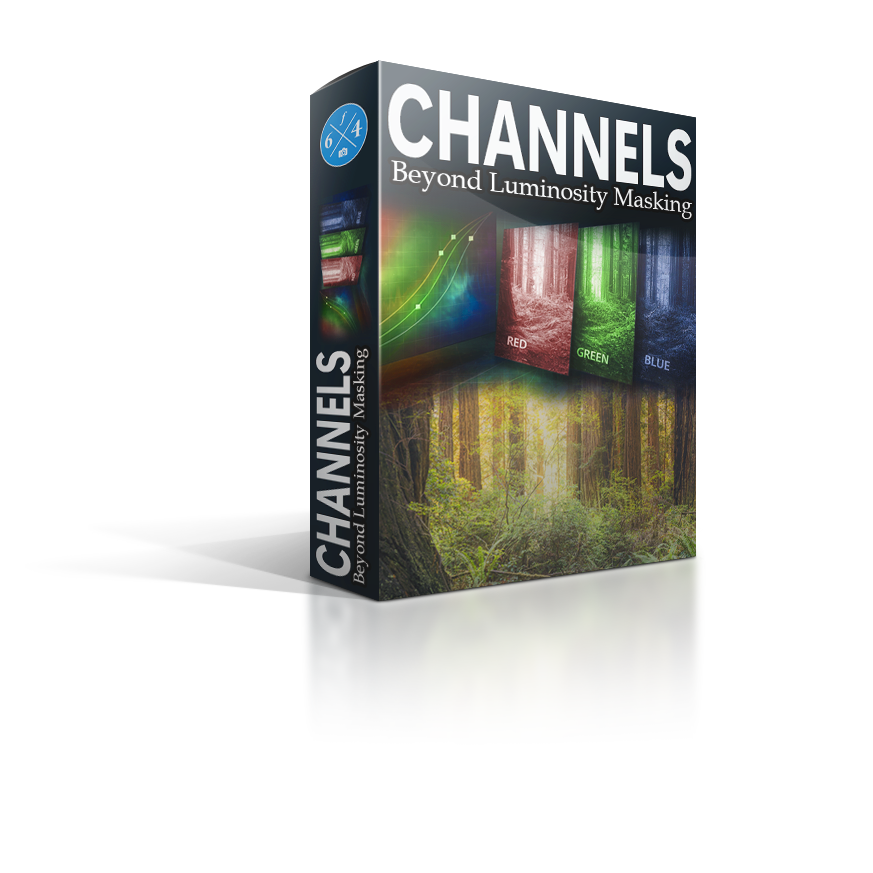

CHANNELS: Beyond Luminosity Masking
In this course, you’ll learn how to use Photoshop channels as practical “mask maps” so you can isolate exactly what you want—without harsh edges, cut-out transitions, or hours of brush cleanup. Through step-by-step lessons and real-world examples, you’ll learn how to read channel separation, pull clean selections, and refine masks so your edits look natural and intentional.
We’ll go beyond basic luminosity masking and show you how to build stronger, more targeted masks using tools like Calculations and Apply Image. The goal isn’t memorizing recipes—it’s gaining repeatable control, so when you look at an image you can quickly identify the data you need, build the mask with confidence, and apply creative adjustments that feel like they belong in the photo.
Hands-On Learning
Practice with follow-along images, exercises, & examples so you can apply the method immediately.
Natural Masks
Learn how to create smoother transitions and believable selections that basic selection tools can’t replicate.
Beyond Luminosity
Use channels to target more than tone for color separation, skies, foliage, atmosphere, and so much more.
Less Guesswork
The Basics of Channels
Channels are the hidden “data layers” inside every digital photo. Every pixel in your image is made up from three values, RED, GREEN, and BLUE,and Photoshop stores those values as separate grayscale maps called channels. You can’t see them in your photo at first glance, but they’re always there, carrying the information that makes up every single pixel.
You’ll find them in Photoshop’s Channels panel, right alongside your layers. When you view a channel, you’re basically looking at a different version of your photo’s underlying data. That matters because some subjects separate better in one channel than another. And when something separates clearly, it becomes the perfect foundation for a clean, natural mask. That “why” is the whole point of this course: learning to read the data that’s already in your image so you can build better selections than most tools can create on their own.

So.Many.Assumptions
My biggest frustration, and probably yours too, is how channels get explained in a way that sets people up to fail. They sound technical, so they get treated like some secret Photoshop corner. Then, when someone finally teaches them, it often turns into: “Red shows red, green shows green, blue shows blue.” It sounds simple, but it breaks down the second you actually open the Channels panel and try to use it.
Channels are not “color tools.” They’re image data. They’re a live record of what’s happening inside every pixel, and they change as your image changes. That’s why a mask you pull early won’t always behave the same later in your workflow. The data is different.
That’s also why channels don’t work in a literal, predictable way. Inverting a channel doesn’t magically create the “opposite color” in a clean way. It creates the opposite of that channel’s values, which can include multiple colors depending on what’s in the scene. This is why I teach channels as mask maps, not color labels.
And I need to be crystal clear about something…
This is NOT a color course.
Channels themselves don’t edit color. They help you build smarter selections and masks so your adjustments, like Curves, Hue/Sat, Color Balance, whatever you choose, land exactly where you want them to. The goal is to learn how to read separation, pull the right mask with confidence, and stop fighting harsh edges and messy transitions that basic selection tools can’t avoid.

CLEAN, NATURAL EDITS CAN BE YOURS WITH CHANNELS
No Need to FEAR Channels
If channels have always felt “too advanced,” you’re not alone. Most people avoid them because they’ve only seen them taught like a confusing science project. The truth is, channels aren’t a secret club. They’re just image data, and once you know what to look for, they become one of the most practical ways to build masks that actually look believable.
Maybe you’ve told yourself one of these things:
• “Channels are too technical for me.”
• “I already use luminosity masks, I’m fine.”
• “Calculations and Apply Image sound like math homework.”
• “Even if I learn it, I’ll forget it.”
• “Isn’t AI doing this now?”


This course was built to remove ALL the roadblocks to effective channel masking!
I start by teaching you how to see channels as mask maps, not color labels, so you can spot separation quickly. Then we layer in the advanced tools in a way that feels logical and repeatable, not overwhelming. You’re not memorizing steps. You’re learning how to make decisions, test what’s working, and refine it into a clean, natural mask that holds up when you actually push an edit.
I’m giving YOU everything…
I’ve packed this course with valuable education, a helpful guidebook, Photoshop Actions, and all my follow-along images. You won’t go into this course empty-handed, and you’ll come away with some advanced knowledge. Don’t worry, it’s not a math class; it’s plain language anyone can understand. We’ll start small and work our way up.
I’m serious… I want to help you remove ALL the guesswork!
REVIEWS
Responses to the Course Material
NO MORE MESSY HARSH-EDGEd, OR “CUT-OUT” LOOKING MASKS
Download TODAY!
$97 Price after launch!- ✔ 14 Unique Videos
- ✔ 208 Minutes of Education
- ✔ 32 PDF Pages
- ✔ All Follow Along Images and Experiments
- ✔ 31 Helpful Channels Actions
Become an f.64 Elite Member
Option 2 includes everything listed in option 1 and so much more!
There are many reasons to join f.64 Elite. It’s not your “average” subscription website. We have a whole different approach to monthly content focused on mentorship, community, and mindset growth, so you can turn your fair images into FineArt!
✔ Access to this course & 40+ others (to include the Vision Sessions)
✔ 24 Monthly Critique Sessions
✔ Access to all past live events
✔ Join monthly Roundtable Coaching calls
CHANNELS: Beyond Luminosity Masking
Unique Videos
Minutes of Education
Photoshop Actions
Lesson PDF Pages
Frequently Asked Questions
Is this a one-time fee or a subscription?
There are two options here.
1. You can purchase this course and download it. It’s yours to access whenever you’d like.
2. You can become a member of f.64 Elite for 19.99 a month or $197 a year and stream it on the site. There are over 45 courses you can view as a member, and you will gain access to all my critique sessions, live events, and roundtable discussions with the Elite members.
How does this compare to other educators courses?
Is this course a download or is it online streaming?
If you purchase it, it is a digital download that you can access whenever you want.
If you become a member for 19.99 per month, you can stream it in the course section of f.64 Elite.
Which version of Photoshop do I need?
Photoshop CC (preferably the most up-to-date version), but channels have been in Photoshop for as long as I can remember.
Does this course come with everything I need to follow along?
Yes!
I include all of the follow-along images, actions, presets, PDFs (if applicable), and extras. Some lessons have actions and images, some just images, others a PDF, and some do not have any extras (usually the introduction and conclusion videos). Everything you need to follow along is included in the course purchase.
Programs, Plugins, and Software Applications are not included. For example, this is a Photoshop course; Photoshop is not included in your purchase.
Do I need your plugins to use this course?
Nope!
I don’t use any of my panels or tools in this course (with the exception of actions, but you’ll get those with your purchase).
I use Lightroom, will this course help me?
NO.
Lightroom does not give you access to channels or channel data. This is strictly a Photoshop course.
Is this course offered for f.64 Elite Members?
YES!
It is available in the course catalog on f.64 Elite. Those members with a paid subscription can access the course material and al the included extras from the course library.
Hey, I’m Blake Rudis, and I’m what you’d call a Photoshop fanatic. All my life, I’ve been trying to share my vision through my photos, and for the last decade, I’ve been teaching others how to do the same.
In 2010, I launched a blog. While initially a way of showcasing my work, thousands of people were visiting and, before long, asking me how I created the images I displayed. It quickly turned into an educational platform.
In 2016, I founded the f.64 Academy – a fully comprehensive “online school” for those wanting to learn how to use Photoshop to create the best-looking photos of their lives. Since then, I’ve helped thousands of Photographers learn basic and advanced Photoshop skills.
Today, I’m incredibly excited to share my passion for Channels and the incredible masks you can make with them. If you’ll have me, I’d be honored to be your Photoshop Mentor!