Description
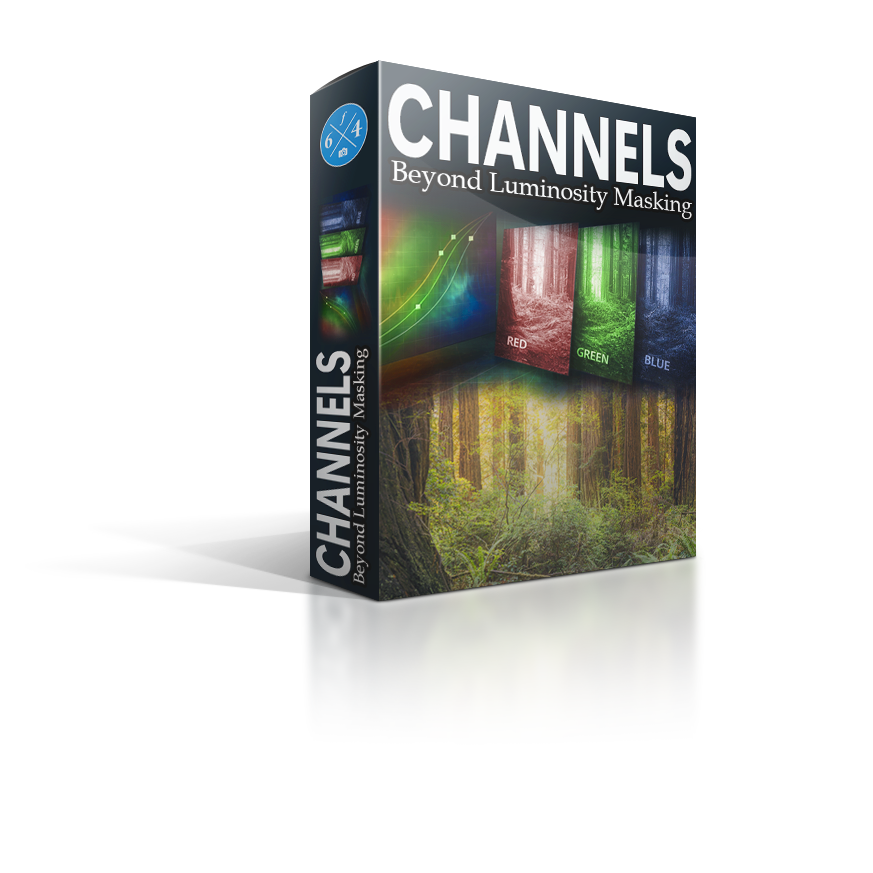
Channels can feel like the “technical corner” of Photoshop that you don’t belong in! That is, until you realize they’re just image data you can turn into clean, natural masks.
In Channels: Beyond Luminosity Masking, I show you how to stop thinking of channels as literal red, green, and blue, and start treating them as mask maps you can read and use on purpose. You’ll learn how to pull better selections, build smoother transitions, and target specific parts of an image without the harsh edges and fake-looking cutouts that come from basic selection tools.
We go beyond standard luminosity masks, beyond the limitations of RAW masks, and step into advanced mask building with Calculations and Apply Image, including a practical approach to “color auditing” that lets you isolate and refine color-based masks with real control.
Listen, REAL TALK HERE! I got a 960 on my SATs (TWICE), no joke… I’m not the sharpest tool in the shed on paper (according to National Averages), and you don’t need to be to truly understand channels. I’m going to teach you channels from a pattern-recognition perspective, not a nerdy math-equation perspective.
This course is made for the images you care about. The ones where the final result matters. The ones you want to take from “fair to FINE ART”, and it’s built to train your eye to recognize separation and build the mask you need, not memorize recipes.
Key Concepts you will learn in this course:
-
• Read channels as mask maps (not literal RGB).
-
• Pull clean selections straight from channels.
-
• Refine masks for natural transitions.
-
• Go beyond luminosity masks (sky, foliage, highlights, atmosphere… no limits here)
-
• Build advanced masks with Calculations.
-
• Use Apply Image to isolate color data intentionally.
-
• Develop a repeatable experimentation workflow.

Jaye Haleryn (verified owner) –
My mind is blown! Working step by step through this course and learning things I know I’ll be using in my workflow! Blake has done it again! Providing the building blocks of education to teach us how to create even better masks to improve our skills, allowing us to be even better at putting out Artistic Vision into our images. Blake makes a complicated subject easy to learn! 10/10 recommend!
Brian Bochicchio (verified owner) –
Another winner. Channels are a challenging topic! As usual Blake takes hard topics and breaks them down into digestible chunks. Don’t be surprised, or embarrassed, if you watch video(s) more than once. I did it several times. Also don’t skip past the workbook and other supporting materials.
darcy quimby (verified owner) –
Channels you see them in Photoshop and all I could do is run far away. I am still going through the course. Taking each video step by step Blake as usual is making a subject that is hard breaking it down into understandable pieces. I have another toolbox to add to my workflow.
TC Conner (verified owner) –
Blake has once again taken a difficult (for me anyway) Photoshop topic and broken it down into perfect, bite-sized pieces that I can truly understand. Channels: Beyond Luminosity Masks has opened up incredible new editing possibilities I never would have imagined.
As a visionary artist, I’m always searching for new ways to edit my photos so the viewer can feel what I felt the moment I pressed the shutter. This course does exactly that.
Take it — and be prepared to be amazed.
Gary Scherer (verified owner) –
Channels were always one of those parts of Photoshop I saw sitting there and pretty much ignored. I’m comfortable with masking but channels always seem to be a technically complex subject. This course changed that.
Blake does what he consistently does well, takes a topic that feels technical and intimidating and breaks it down, so you understand what’s happening instead of just following steps. Working through this slowly, and I mean slowly, things are starting to make sense to me in ways they never had before.
Sherry Felix (verified owner) –
Challenging and very useful
Nicoló C. (verified owner) –
Well, well, well, this course is really the One that I was looking for. We are beyond the luminosity masks, just having fun with channels, mixing them, puzzling how to be more creative, how to act without hesitation to target that area or that specific color. Blake you really hit the bull eye. I really enjoyed coz I know that I won’t use it every day, or for every session, BUT , when I will need it I know how to use these tools before loosing patience and having a concrete selection to work with.
Guys don’t hesitate if you’re looking for a specific color selection, means that you want to spend time on your work and so you want to achieve the best result, so don’t yell at the screen but use Blake’s course to have fun!
David Pettit (verified owner) –
Ronald Coleman (verified owner) –
I have watched all lessons and done some experimenting. I plan to go back to the beginning and watch again. As you explained this is a subject that requires experimentation to understand.
Donna V. (verified owner) –
Fantastic course. Began to experiment right away with my own images and cannot believe how great these masks work. When used in conjunction with the Visionary Panels, the sky is the limit. And so much fun! So useful. Blake: you are the best! So grateful you have taught me this way of editing.
Ross J. (verified owner) –
I really want to learn Photoshop to edit my photos. I’ve been struggling with masks and selections (among other things) for some time. I’m no spring chicken anymore and so visual learning suits me more.
I found Cannels: Beyond Luminosity Masks to be perfectly suited to my learning style. I got more from this course than years of reading articles, magazines and YouTube university. I was able to watch the videos on one screen and work along side with Photoshop on another (I have 3 screens, a legacy from my IT Tech days). Play, pause, play was my mantra and a very successful one too. I now use channels and other tools (blend modes, levels, curves etc) in a way that 2 months ago would have seemed impossible for me. I can’t thank Blake and f64 Academy enough. What I failed to mention also, is, that as a disabled pensioner, I have to watch my pennies closely, this course was money very well spent.
MR I S JENNER (verified owner) –
Joan (verified owner) –
Very helpful
Sergio Sotomayor (verified owner) –
In today’s world, creators often have the privilege of hearing directly from those who engage with their work. That is exactly how I came to share my thoughts on Blake Rudis’ Channels course.
My connection with Blake spans three to four years, always following the same path: he introduces a product, I learn about it through his mailing list, and if it resonates with me, I acquire it and put it into practice. Each time, that practice reveals whether the product truly holds value for me. To this day, everything I have purchased from Blake has proven intrinsically worthwhile. Beyond the usefulness of each product, I also perceive a deeper benefit: the tireless dedication of its creator, who consistently strives to deliver knowledge of the highest quality.
With the Channels course, the first thing that struck me was the subject itself. Channels are, in essence, the foundation of every image. For anyone passionate about image editing, understanding channels is indispensable. They underpin powerful Photoshop commands such as Calculations and Apply Image, and they are inseparably linked to masks and selections—two pillars of editing. On each of these topics, and many more, the course offers clear, in-depth explanations supported by videos, reference images, and step-by-step actions that allow learners to replicate techniques at their own pace.
For those seriously committed to advancing their image editing skills, I wholeheartedly recommend Blake Rudis’ Channels course. It is the kind of resource that not only enriches your knowledge today but also becomes a trusted reference for the future. Each revisit reveals new insights, details you may have overlooked before, and lasting value that grows with your practice.
I apologize for the length of my message, but the product in question truly deserves it.
Patricia Balderston (verified owner) –
Just getting started but have learned from that.
Marvyn (verified owner) –
Thanks Blake. You have turned a mysterious topic into one that is clear and immediately useful.
Georgina Ellmann (verified owner) –
Above and beyond expectations.
Mike H. (verified owner) –
Very in depth and informative. Easy to follow because you can go back and review at anytime. Highly recommended if you are serious about taking your photoshop abilities to the next level.
John P Paolinetti (verified owner) –
Great Course! Blake approaches the course from the point of view many users have about channels and de-mystifies them. He gives easy to follow instructions but more importantly easy to understand explanations for what is being done and why. His admonishments to experiment on your own makes it very useful when working on your own photos. You will ask the right questions and know to accomplish the answers.
Ken W. (verified owner) –
To paraphrase – I didn’t know what I didn’t know – Channels course has allowed me to rework some
of my images to achieve the vision I wasn’t getting
before. The actions are great so long as I don’t have to
hear “calculations and inverting” again. Just kidding.
david beaubien (verified owner) –
starting the course was very interesting for the first lessons then became hard and confusing.got frustrated and was going to stop but I kept plugging away. then my brain switch to the channels and away for the layers part and I started to see what was going on.i was working with the actual building block of photoshop. I can explain it this way as an auto tech. it’s like being a back yard mechanic to becoming a highly trained technician with the best tool and training possible. changes the whole concept of photoshop. the best and most valuable course I have taken .thanks Blake.
Jacques D. (verified owner) –
Another great course from Blake. Using channels is another tool to my toolkit.
RICHARD KOZAK (verified owner) –
Eye opening!
Mark L. (verified owner) –
I use Photoshop to create art via compositing and painting. I’m nearly done going through Blake’s Channels course modules. This is not the first one of his comprehensive courses I’ve taken. That I continue to take his courses says a lot. Outside of the occasional luminosity mask I have mostly stayed away from Channels. Now, I don’t know how I lived without them. I even keep my Channels tab open onscreen now because it’s fun to watch the changes I make to them. The difference in my images is immediately noticeable. Light takes on a subtlety that is stunning. Subtlety and stunningly may normally be contradicting adjectives but in this case, they are not. The natural metamorphosis with which light, midtones, and shadows shift with this clear understanding and exacting application of Channels takes my breath away, every time. And for whatever it’s worth, I can now brag that I use Photoshop’s Apply Image and Calculations functionality all the time. And if you’re not someone who wants to mess with those functions the Actions that come with the course will do the work for you in a matter of seconds. I have used these Actions already a few times, but I prefer doing the work manually because it is so much fun to do. I feel I am now able to control and tweak light, shadow, color, saturation, contrast, luminosity…every adjustment and every filter plugin Photoshop has to offer…with the precision and beauty one only gets from going outside and watching the sun itself do it. I’m really not exaggerating. The great thing is, Blake explains everything clearly. I talk too much, but my images are really talking now. I hope you can grab the course for yourself, but whether you can or not, keep creating. Never feel discouraged. Nobody can create art like you can.
Anonymous (verified owner) –
Peter Bushby (verified owner) –
Most informative paclage you have put together
Tom K. (verified owner) –
This is a great and comprehensive course on getting the most from using Channels in Photoshop. The explanations and instructions given in this, and all of Blake’s courses, are second to none. He also supplies ready made actions for use with channels so even though he teaches what to do, they are a shortcut to save steps when editing. With the Channels Course I have learned how to isolate and do pin point editing to areas I want. What an eye opener, now drawing me to revisit some previously edited images.
Being somewhat new to learning PS, I have been following Blake for a while and finally joined his F64 Elite group. There is so much content and education it is well worth the subscription price. Much more comprehensive and coherent that watching YouTube videos from all different people to try and build PS processing skills.
ANDRE SCHEURER (verified owner) –
Danna Chiasson (verified owner) –
I was somewhat familiar with channels … this course gave me a better understanding and provided new ways to use them. Well put together and easy to follow.
Steve G. (verified owner) –
Excellent course. A bit of a challenge for me because I don’t usually work in Photoshop, but I was able to complete the course with 65-75% understanding and 100% enjoyment. I plan to repeat the course, practice the techniques, experiment and push that level of understanding close to 100%.
John T. (verified owner) –
I’m at the end of Lesson 4 currently and its a very useful course which as suggested in the title demystify’s Channels in PS
mike moffat (verified owner) –
Excellent course as alway Blake. A great look at channels.
Robert Young (verified owner) –
I have been using Photoshop for over 10 years and this course on Channels has benefited my masking abilities tremendously. Thanks Blake for your building this course.
Al (verified owner) –
As expected from, f64, another complex aspect of the PhotoShop tool sets superbly explained in Blake’s easy to understand style.
Jorge Perez-Martinez (verified owner) –
What I like about this course is that it is not “training” (ie learning to do) but “education” (ie learning to know and understand), and that makes a big difference for me. The course is difficult, but the knowledge gained is worth it. Granted, it will take time for the concepts learned to be fully assimilated and this will require – as Blakes repeatedly says it – commitment and “experimentation” from our side. The course is well structured and comes with follow-along images and is loaded with actions, as well as a solid pdf guide that includes guidelines for experimentation. The course falls into the category of continuous learning, with the aim of increasing our personal creativity and our ability to address editing challenges for which an immediate solution may not be evident. If you enjoy a good intellectual challenge this course is for you. Blake did a great job with the course.
Ross L. (verified owner) –
I never really used Channels that much because I never really looked into it. This course introduces me to a new fun aspect of photography that I find fascinating and honestly fun. As usual, Blake does not disappoint.
David S. (verified owner) –
Fantastic clear explanation of complex subject
Chris Rinaldi (verified owner) –
Very well explained with good examples to make it easy to follow
Claude M. (verified owner) –
First, Let me present myself. I love math…
I really appreciate the course and I found that it is a necessary complement to the Visionary Panel, to fully understand where do some masking come from in the panel and maybe what we can do to enhance masking.
The course certainly opens my eyes with channel masking and what can I do. I will continue to experiment for sure.
Jack Worsnop (verified owner) –
Always wanted to use channels for mask details, now I can.
Michael Wallace (verified owner) –
This course by far is one of Blakes best. I learned so much about how to use Channels to make all sorts of masks that help me be more proficient in my edditing. Channels are no longer a mystery, they are now a mjor tool in my toolbox. well worth the money and time to take and the time you will experiment